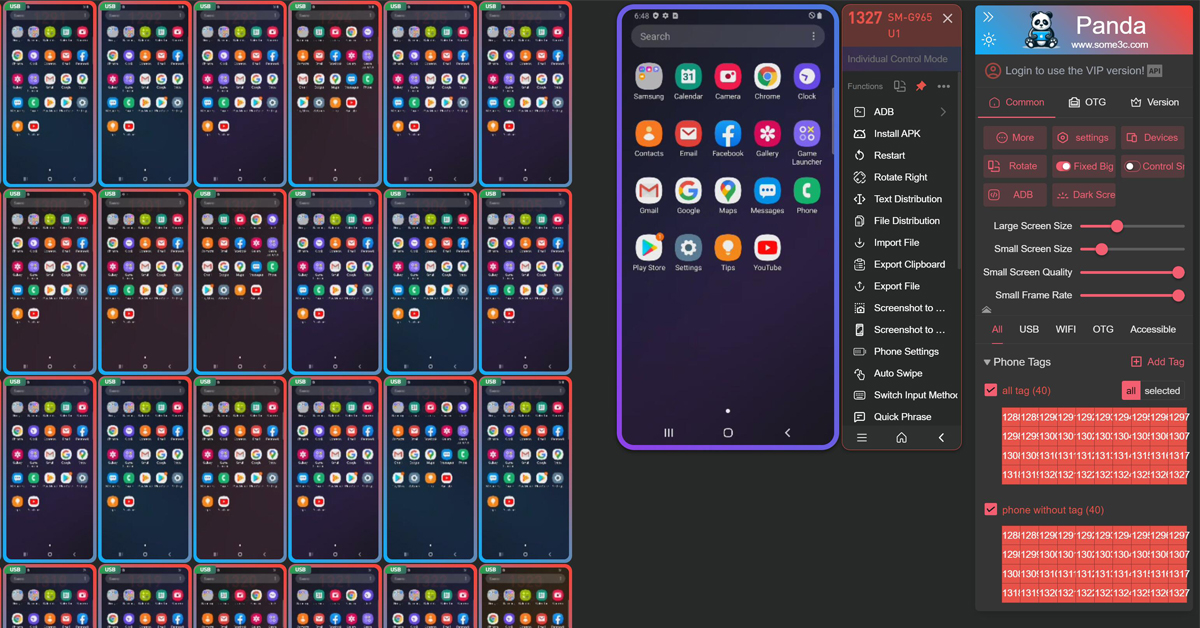
Panda is professional Android multi-device control software for developers, QA teams, and businesses. Control, mirror, synchronize, and automate multiple Android devices from a single Windows or Mac computer.
Designed for large-scale deployment, instant response, and ultimate stability.
Millisecond-level latency sending keystrokes, gestures, and commands to hundreds of devices simultaneously. Realize true 'one-to-many' operations.
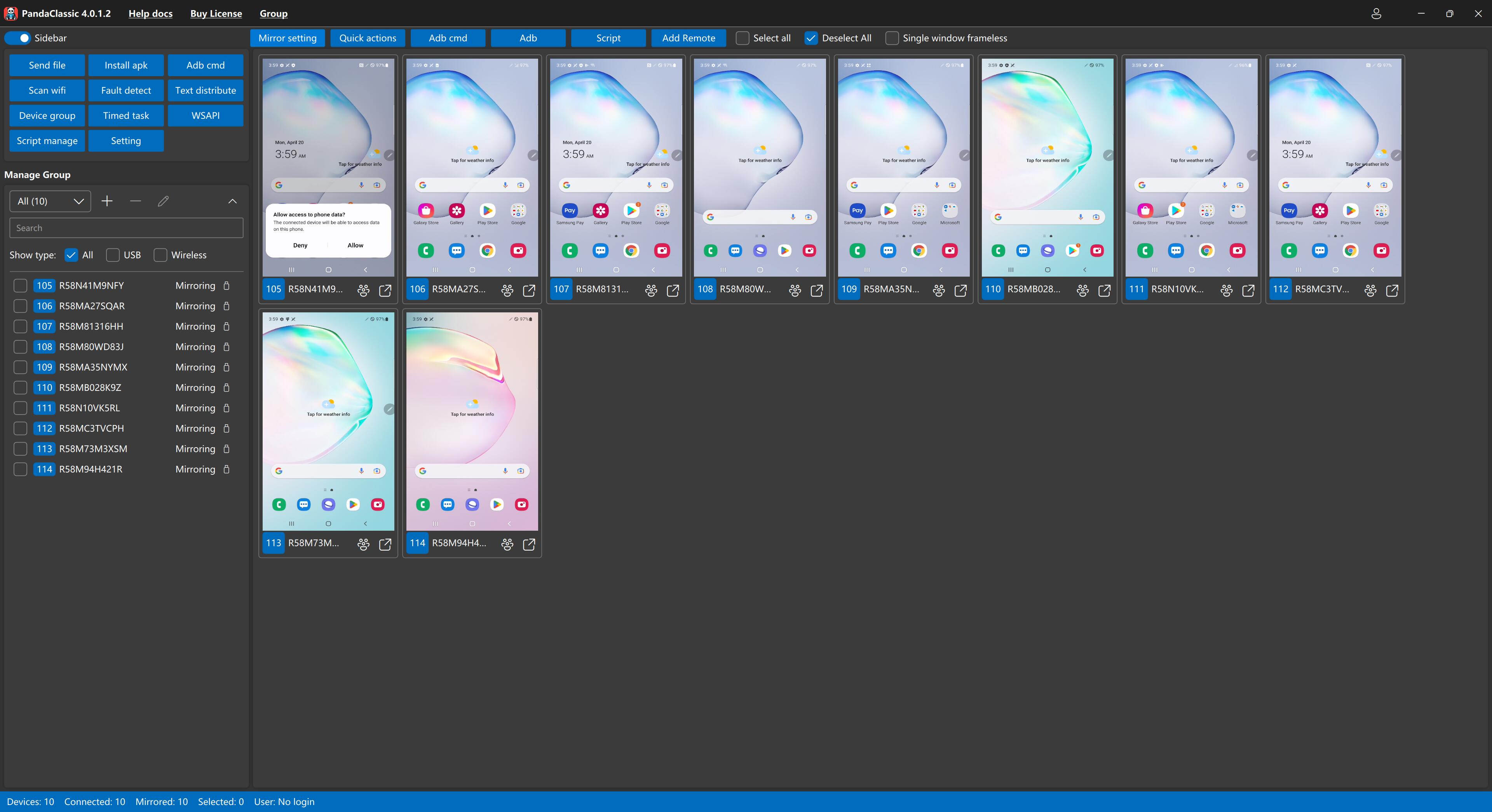
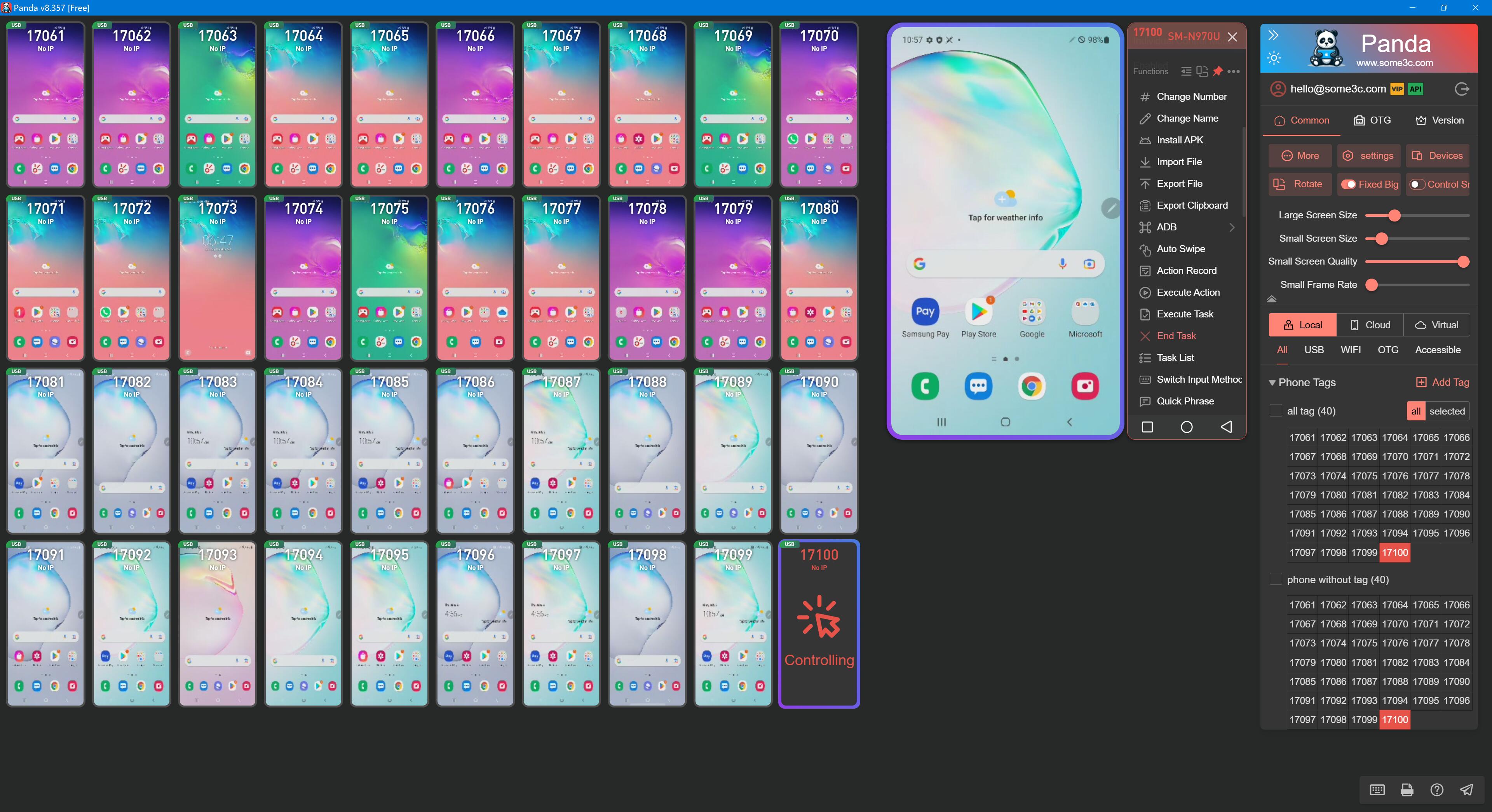
Real-time thumbnail previews for all connected devices. Monitor device status and performance metrics from a single, unified interface.
Based on the standard ADB protocol, it supports stable, high-definition USB and wireless screen mirroring.
Supports one-click batch opening of apps, APK installation and uninstallation, file import/export, and cache clearing across multiple devices.
Save frequently used text as templates and send batch synchronized input, including characters, emojis, and clipboard content.
Record and replay complex action tasks, automate batch operations, and automatically execute scheduled tasks without manual intervention.
Share connected Android devices with other users, making it easier for teams to access and collaborate on shared device resources.
Support multiple ADB connections in parallel, with local screen projection capable of handling up to 1,000 Android devices.
Organize connected devices into groups and apply control, input, and app operations to selected devices for faster batch workflows.
Download the installer from our website and then click to run the one-click installer.
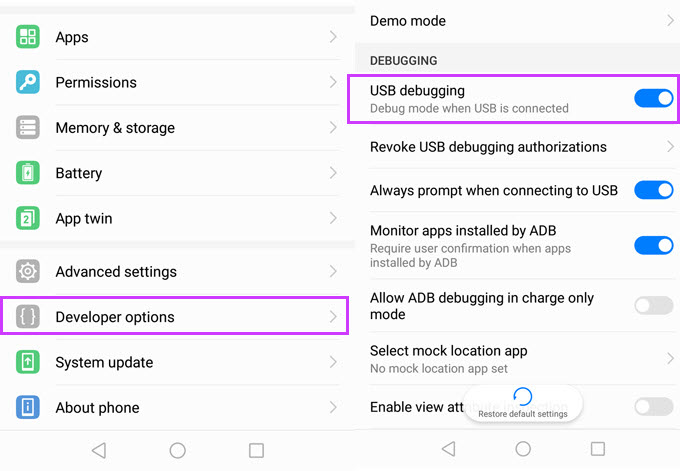
Connect your phone to your computer - Enable developer mode - Enable USB debugging option - Allow PC access.
The device will automatically appear on the Panda panel. You can immediately begin synchronous or individual control.
Select your system type, download, and install to use for free.
Everything you need to know about Panda.
Panda is Android screen mirroring and multi-device control software that lets you view, control, synchronize, and manage multiple Android devices from a Windows or Mac computer.
Download the latest Panda installer from the download section of this website. Choose the version for your operating system, install it, and launch Panda to begin connecting Android devices.
Panda supports high-density multi-device workflows. Local screen projection can support up to 1,000 Android devices, depending on computer hardware, connection method, network conditions, and device configuration.
Yes. Panda supports one-to-many control, synchronized input, batch operations, and individual device control from the same interface.
Yes. Panda supports multiple ADB connections in parallel, making it suitable for managing large numbers of connected Android devices.
Yes. Panda supports both USB and wireless Android screen mirroring. Wireless performance depends on the network environment and device capabilities.
Yes. Panda includes device sharing so connected Android devices can be shared with other users, making collaborative device access easier for teams.
No. Panda is based on standard Android ADB protocols. Root access is not required for standard screen mirroring, touch control, or file management.
Panda supports Windows 10/11, macOS 12 or later, and Android 6.0 or later. Compatibility can vary by device manufacturer and Android configuration.
Panda provides a free usage option for the first 40 devices. Additional devices may require a premium subscription. Panda Classic has separate licensing and is not interchangeable with Panda licenses.
Join 10,000+ professionals worldwide. Download now and start your full feature trial.