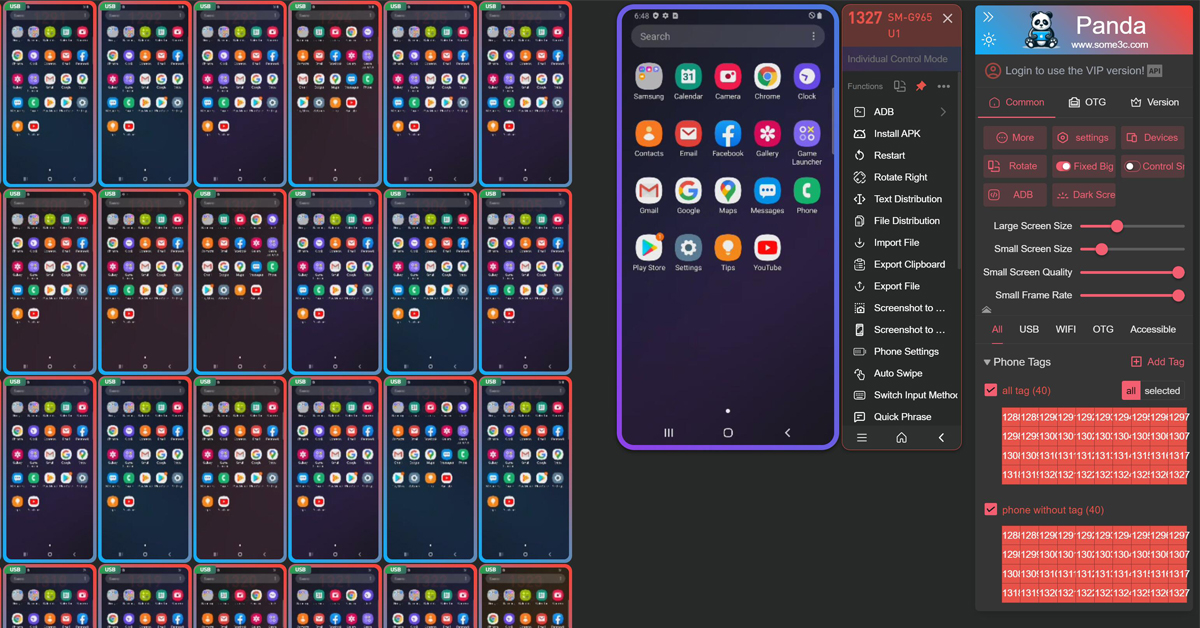
Designed for large-scale deployment, instant response, and ultimate stability.
Millisecond-level latency sending keystrokes, gestures, and commands to hundreds of devices simultaneously. Realize true 'one-to-many' operations.
Real-time thumbnail previews for all connected devices. Monitor device status and performance metrics from a single, unified interface.
Based on the standard ADB protocol, it supports stable, high-definition USB and wireless screen mirroring.
Supports one-click batch opening App, APK installation and uninstallation, file import, export, and cache clearing..
Supports adding frequently used text to templates and batch synchronous input, including characters, emojis, and clipboard content.
Record and replay complex action tasks, automate batch operations, and automatically start scheduled tasks without manual intervention, making it more convenient.
Download the installer from our website and then click to run the one-click installer.
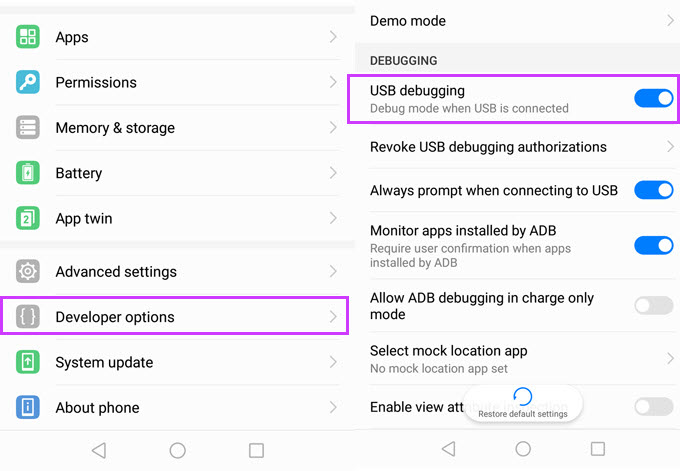
Connect your phone to your computer-Enable developer mode - Enable USB debugging option - Allow PC access.
Device will automatically appear on the Panda panel. You can immediately begin synchronous or individual control..
Everything you need to know about Panda.
Supports 98% of Android brands and models on the market running Android 6.0 to Android 16 systems. Software automatically detects your device capabilities and optimizes settings for the best mirroring experience. Most modern Android smartphones are fully compatible..
No. Panda is developed based on standard ADB protocols. No Root is required for screen sharing, touch control, or file management on Android devices.
We provide comprehensive technical support for all users. Users can get support through our Telegram group or detailed guides at doc.some3c.com.
Great news! The first 40 devices are completely free to use with Panda. You can connect and manage up to 40 devices without any cost. For additional devices beyond the first 40, a premium subscription is required. All payments are handled securely within the software dashboard..